Contact Categories
BostelCRM offers a Contact Categories module for organizing your contacts into distinct categories for better segmentation and management. You can create categories based on specific criteria and associate your contacts accordingly. To access the Contact Categories module, click on the Module List menu in the top navigation bar .
Contact Categories Actions


Depending on your screen size, you can access Contact Category actions from the module dropdown menu or via the sidebar shortcuts.
-
Create Contact Category
To create a new Contact Category, open the Edit View by clicking the "+ New" button or selecting "Create Contact Category" from the actions menu.
-
View Contact Categories
Click on "View Contact Categories" to open the List View, where you can search, filter, and sort contact category records.
Managing Contact Categories
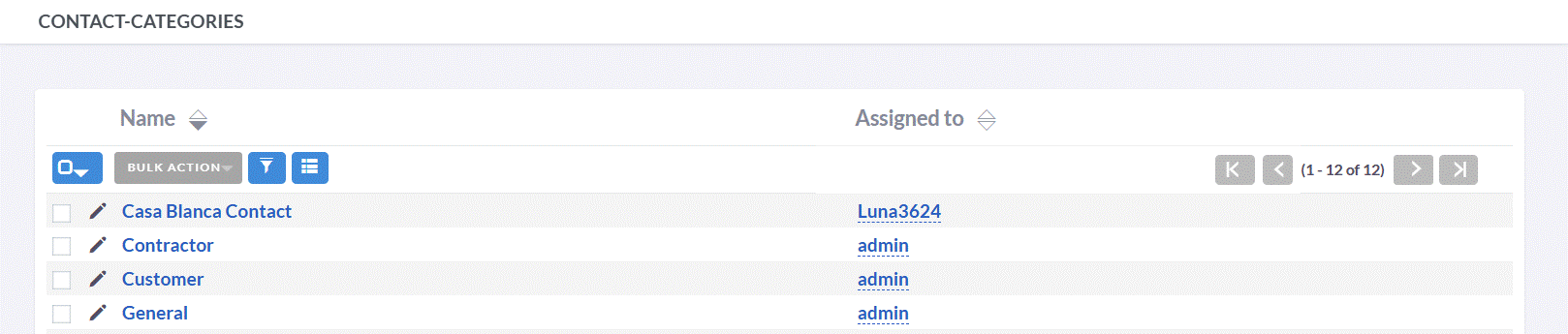
- Click any sortable column header in List View to sort contact categories in ascending or descending order.
- Use the search bar to find contact categories by category name, Assigned to, or related entities.
- To see full details of a contact category, click its name in List View to open the Detail View.
- In Detail View, click "Edit" to update the contact category information. Alternatively, use the pencil icon in List View.
- To create a duplicate contact category, open Detail View and select "Duplicate" from the actions menu, then modify and save.
- To remove a contact category, select "Delete" from the Detail View actions menu.