Opportunities
The Opportunity module in BostelCRM enables you to manage and monitor potential sales prospects who are qualified and likely to do business with your company. These prospects have demonstrated buying power and are in the process of making a purchase decision. You can track the progress of your Opportunities through the Sales Pipeline until the deal is either 'Closed Lost' or 'Closed Won'.
Opportunities Actions
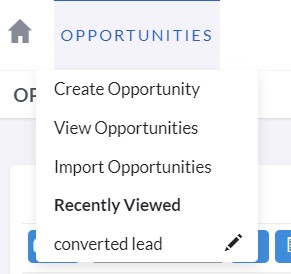

The following actions can be accessed for Opportunities from the Opportunities module menu drop-down, the Sidebar, or the Sales button at the bottom:
-
Create Opportunities
A new form is opened in Edit View to allow you to create a new record.
-
View Opportunities
This action will redirect you to the Opportunities module's List View where you can search and view a list of Opportunity records.
Managing Opportunities
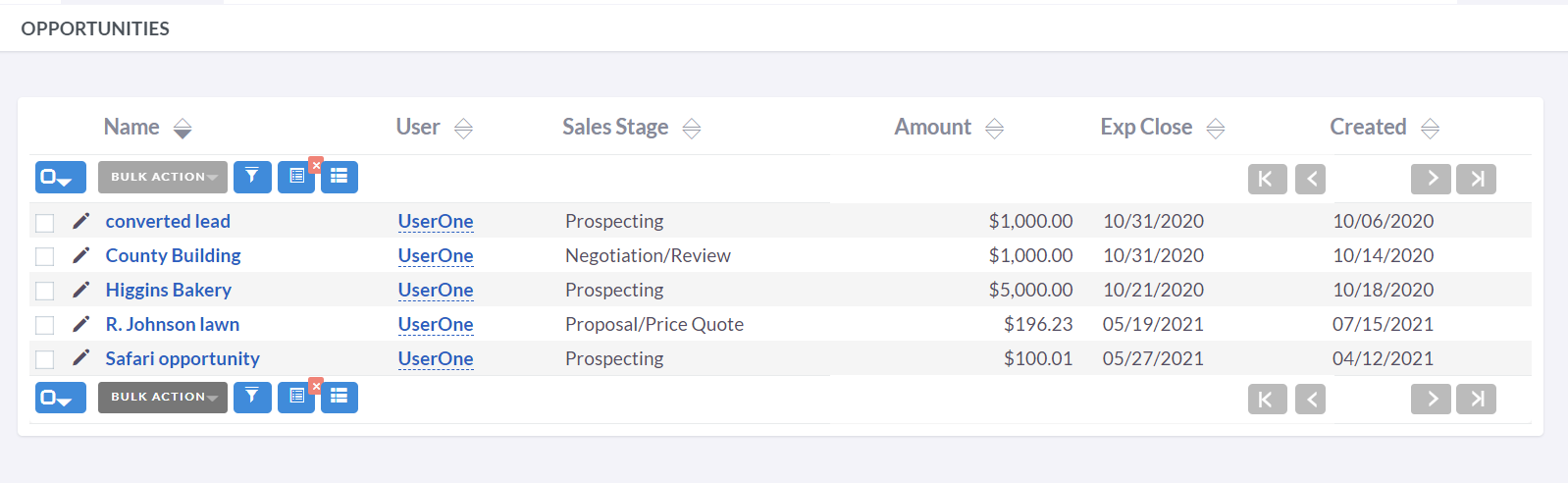
- If you want to sort the records on the Opportunities List View, you can click on any column title that is sortable. This will sort the column either in ascending or descending order.
- Refer to the Search section of the user guide to search for a specific Opportunities.
- To duplicate an Opportunity, simply click the Duplicate button on the Detail View and then save the duplicated record.
- To identify and merge potential duplicate Opportunities, navigate to the Opportunities Detail View and select "Find Duplicates" from the Actions tab. You can then select fields and input different search strings to aid in your review. Click "Next Step" to see your results, and if a merge candidate is located, select it and then click the "Perform Merge" button to proceed with the merge process.
- To view the details of an Opportunity, click on the Opportunity Name in the List View. This will open the record in Detail View.
- To delete an Opportunity, navigate to the Detail View of the Opportunity you wish to delete from the Opportunities List View and select "Delete" from within the Actions menu.
- To edit the Opportunity details, click the Edit icon within the List View or on the Detail View, make the necessary changes, and then click Save.