Projects
In BostelCRM the Projects module allows the User to arrange their organization’s projects by tracking a number of Tasks and allocating resources. Once set up, a project can be visualized in the form of a Gantt chart or using the Resource Calendar.
Project Actions
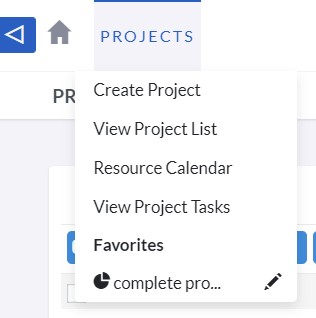
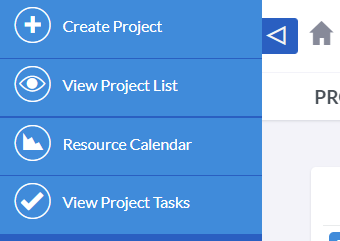
Users can access the Projects actions from the Projects module menu drop-down or via the Sidebar after clicking to view the module. The available Project actions are:
-
Create Project
Clicking on the "Create" option opens a new form in the Edit View mode that enables users to create a new Project record.
-
View Projects
Selecting the "List Projects" option redirects users to the List View for the Projects module, which enables them to search and display a list of Project records.
-
Resource Calendar
This feature enables users to search for projects based on various parameters such as project name, users, contacts, type, and date.
-
View Projects Tasks
The "List Project Tasks" option enables users to display a list of Project Tasks that are related to a parent Project.
Creating Projects
The Projects module allows you to create, manage, and duplicate both Projects and Project Tasks. For each Project, you can define multiple Project Tasks. To create a Project Task, you need to associate it with a Project. Additionally, a Project can be associated with multiple activities, Opportunities, and Cases.
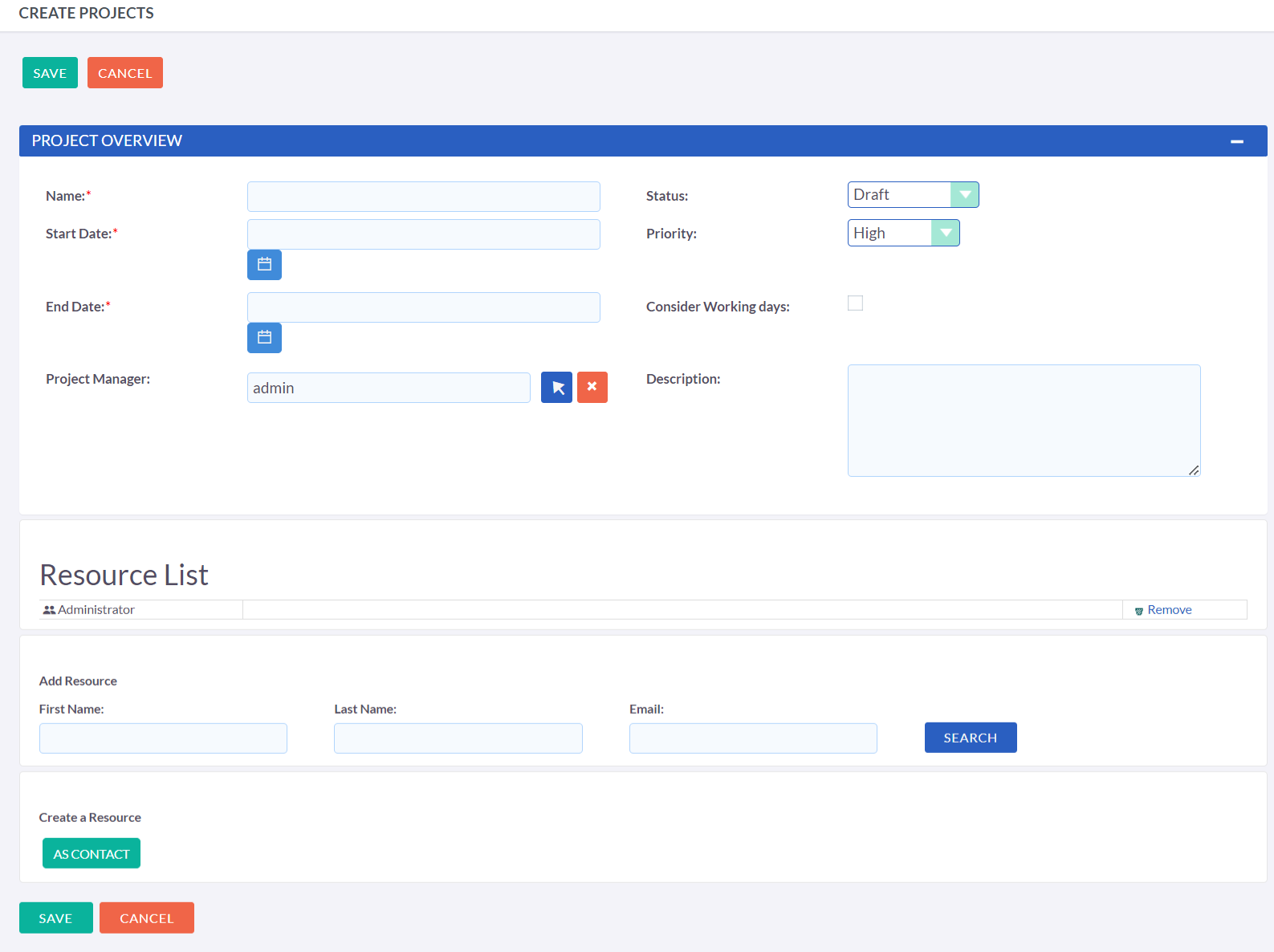
Once you save the Project form, you will be redirected to the Project's detail page where you can view all the details related to the project. From this page, you can associate the project with other records such as Contacts and Opportunities.
Creating Project Tasks
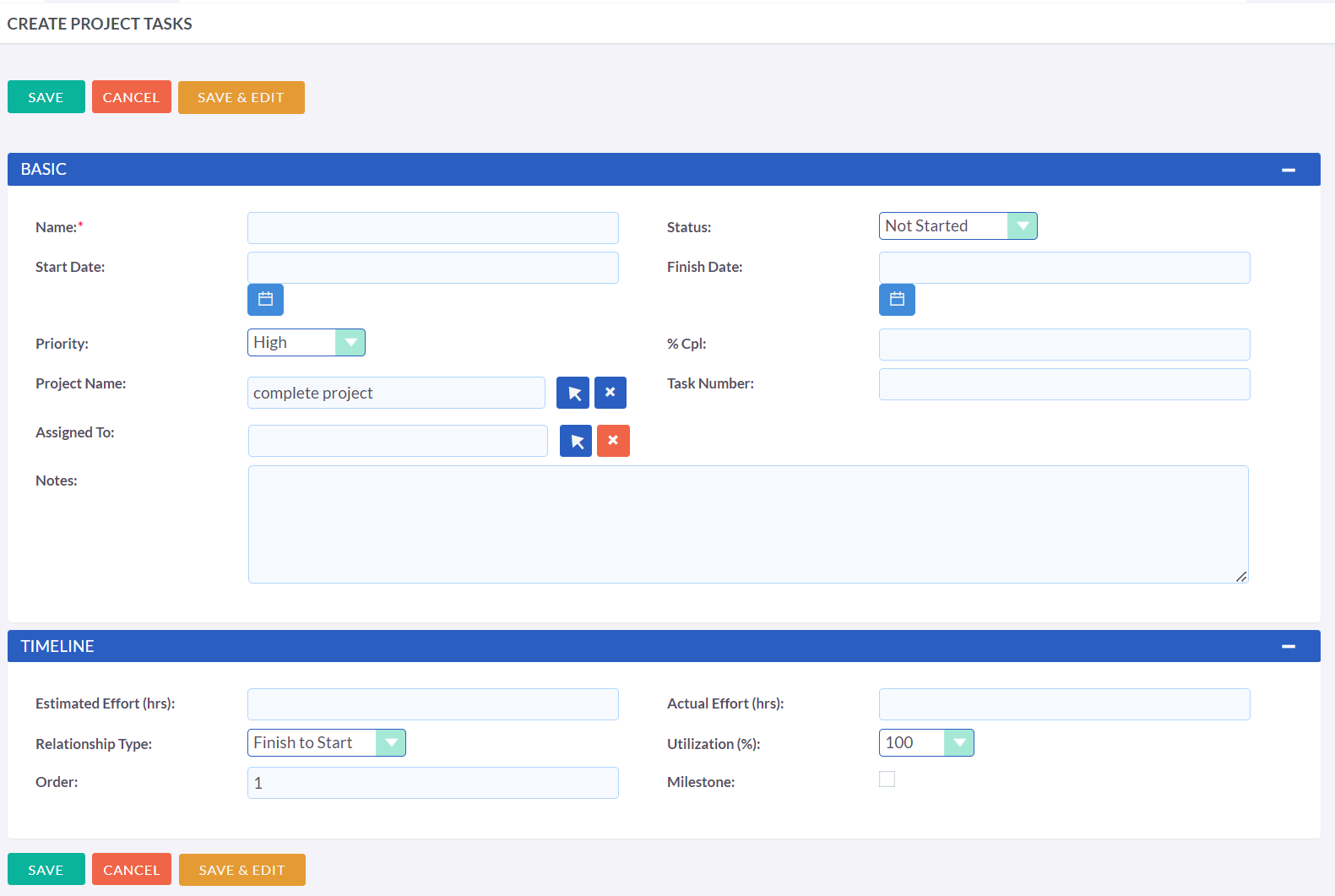
To create a new task in the Project Tasks sub-panel, you need to click on the "Add" button. Once on the Project Tasks page, you can fill in the required information for the task, including the name, task number, start date, finish date, percentage complete, priority level, milestone status, project name, and notes. You can then save the task by clicking the "Save" button or cancel the task creation by clicking the "Cancel" button. This process allows you to create and manage multiple tasks associated with a project in the Projects module.
Managing Projects & Project Tasks
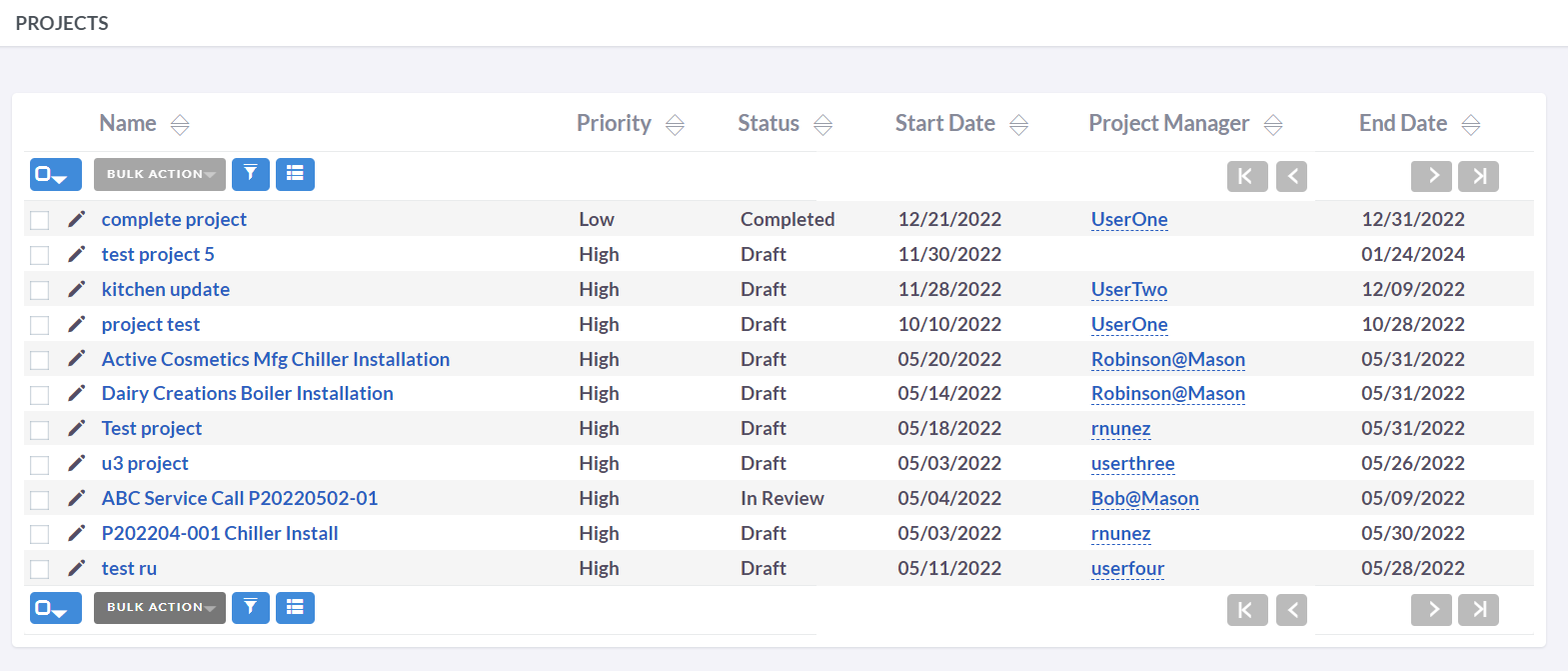
- To sort the List View on the Projects and Project Tasks list view, click any column title which is sortable. This will sort the column either ascending or descending.
- To search for a Project or Project task, see the Search section of this user guide.
- To view the details of a Project or Project Task, click the Project or Project Task Name in the List View. This will open the record in Detail View.
- To duplicate a Project, you can click the Duplicate button under the Action tab on the Detail View and then save the duplicate record.
- To delete a Project, navigate to the Detail View and click the Delete button under the Actions tab.
- To edit the Project or Project Task details, click Edit icon within the List View or click the edit button on the Detail View, make the necessary changes, and click Save.