Search
The act of searching plays a crucial role in CRM, enabling you to swiftly specify your desired information. Since numerous CRM systems comprise extensive data sets, it is imperative that you possess a means of filtering your search. The succeeding sections will detail the diverse search alternatives at your disposal.
Global Search

By utilizing the search bar located on the top navigation menu, you can employ BostelCRM's global search feature to look up active records.
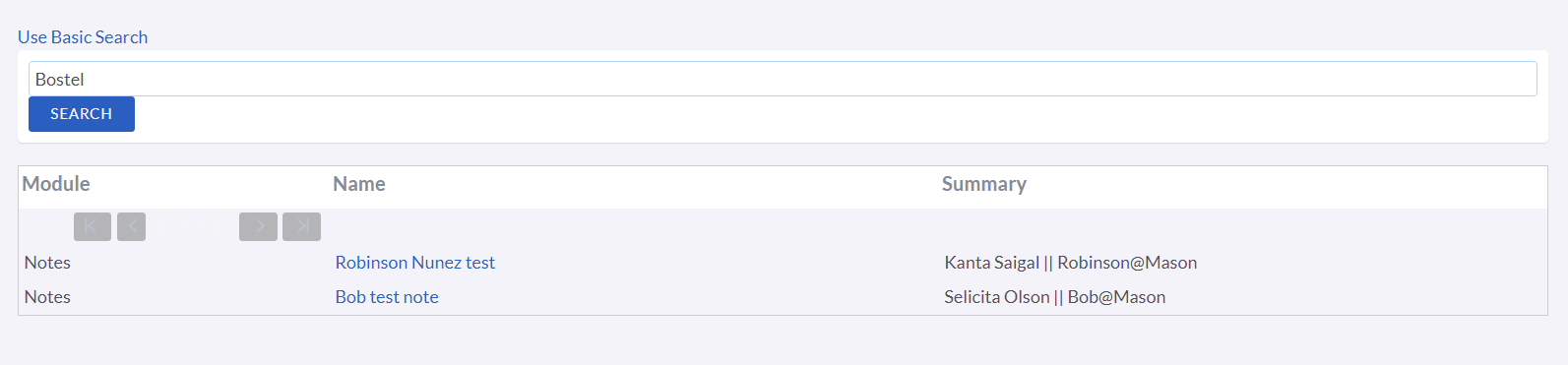
After inputting your search term, you may either press the return key or select the magnifying glass/search icon. This will generate a list of records that meet the search criteria and classify them according to the modules in which they are located.
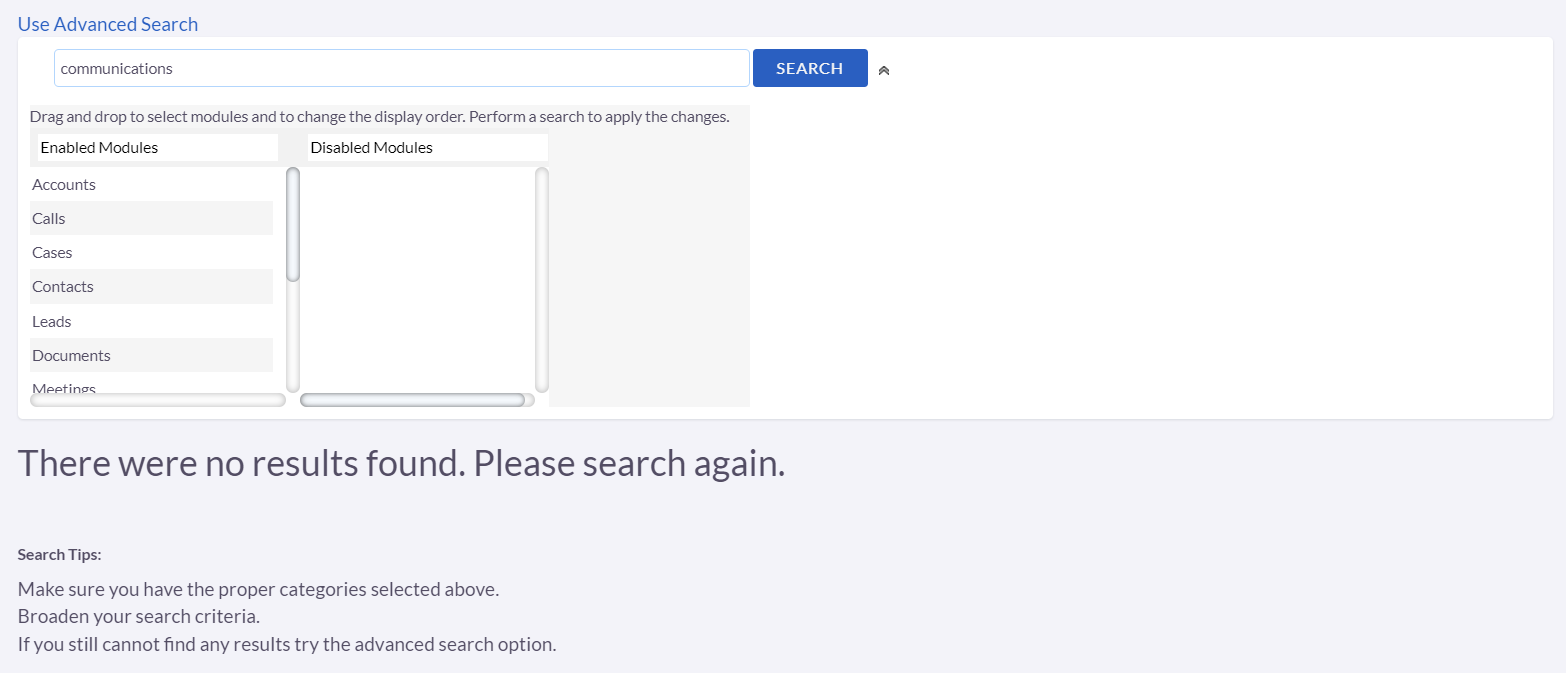
If you need to limit your search by filtering out the results from different modules you can switch to the advanced search by clicking the Use Basic Search text at the top. From the advanced search page if you move the module names from the Enabled Modules box to the Disabled Modules box it will omit results from the disabled modules in your search results. Moving the module names from the Disabled Modules box back into the Enabled Modules box will enable the search results from those modules to be viewable once again if necessary.

If the Enable/Disable Module boxes are not visible when you access the
Advanced search page, you can click the arrow beside the Search button
to display them. Conversely, if you want to hide the boxes again, you
can click the arrow once more.
To switch back to the basic search function, click on the "Use Advanced
Search" text at the top of the page.
For certain modules, you may encounter additional search options when
creating or linking records, but these will be explained in the
corresponding user guide sections for each module.