Views
BostelCRM offers different views that are designed to provide you with relevant information throughout the record management process. The following sub-sections will detail the three primary views.
List View
This is the view that you are presented with when you navigate to your desired module.
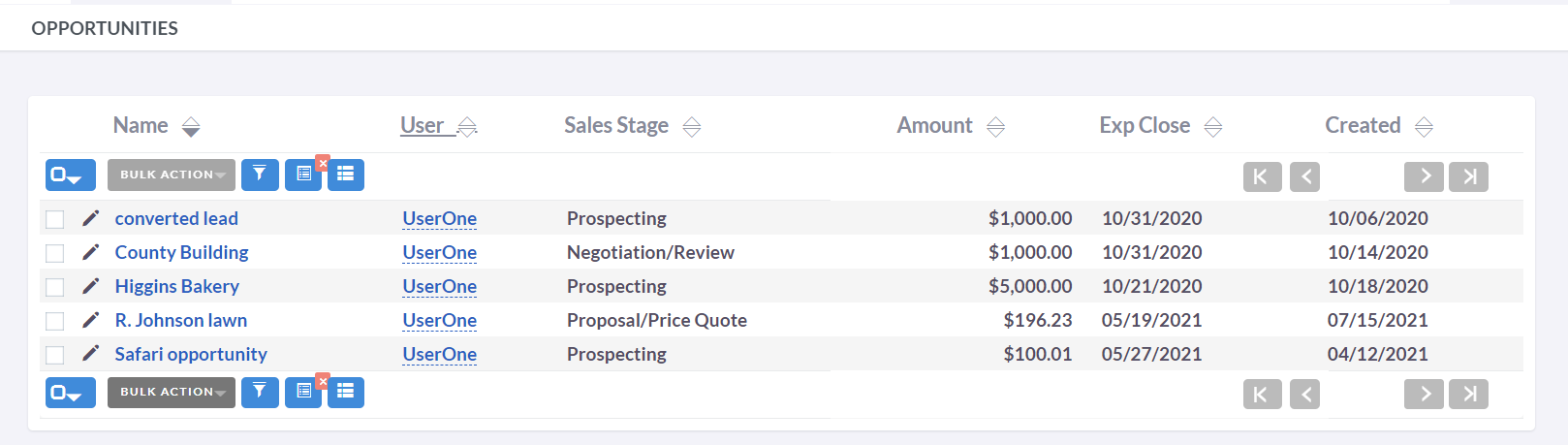
The List View provides you with numerous actions that you can execute to manage records. These actions include:
-
Sort Records
By clicking on the column name, you can sort the record list either in ascending or descending order, provided that the sorting feature is enabled.
-
View Records
By clicking on any hyperlinked data, you will be redirected to the Detail View of the respective record.
-
Edit Records
By clicking the pencil icon, you can access the Edit View for the corresponding record.
Detailed View
This is the view that you are presented with when you view a record.
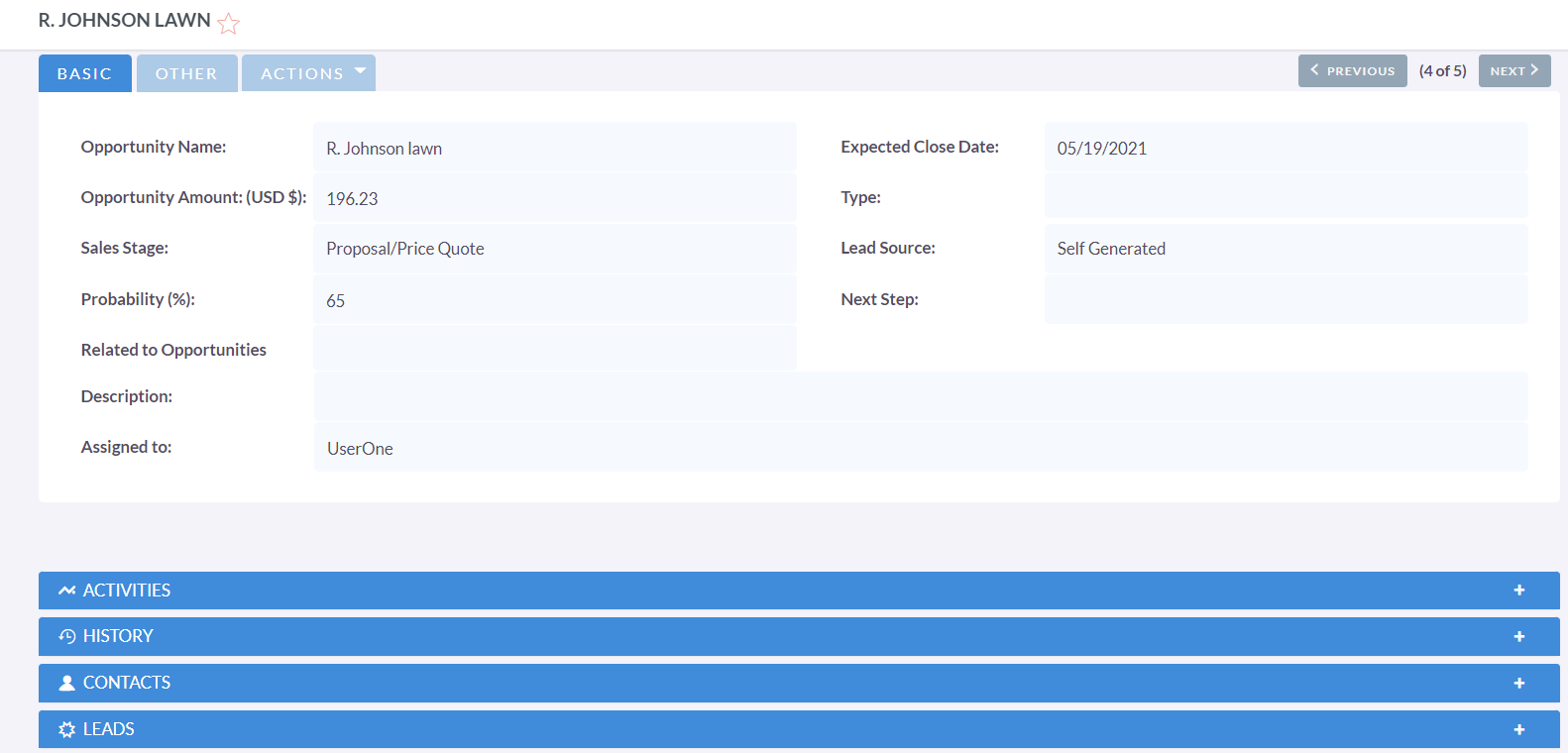
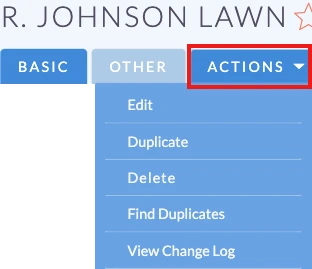
The List View provides you with numerous actions that you can execute to manage records. These actions include:
-
Edit
Permits you to modify the record you are currently viewing.
-
Duplicate
Enables you to replicate the record you are currently viewing.
-
Delete
Allows you to remove the record you are currently viewing. If a record is deleted, you will be redirected to the List View.
-
Find Duplicate
Allows you to initiate the find duplicates process, where you can utilize system functionality to identify duplicate records.
-
View Change Log
Enables you to review changes made to audited fields.
You can click on hyperlinked fields to navigate to the corresponding record. The Detail View in BostelCRM is organized into tabs, minimizing the need for scrolling, and grouping data for each module into the relevant tab.
Edit View
This is the view that you are presented with when you edit a record.
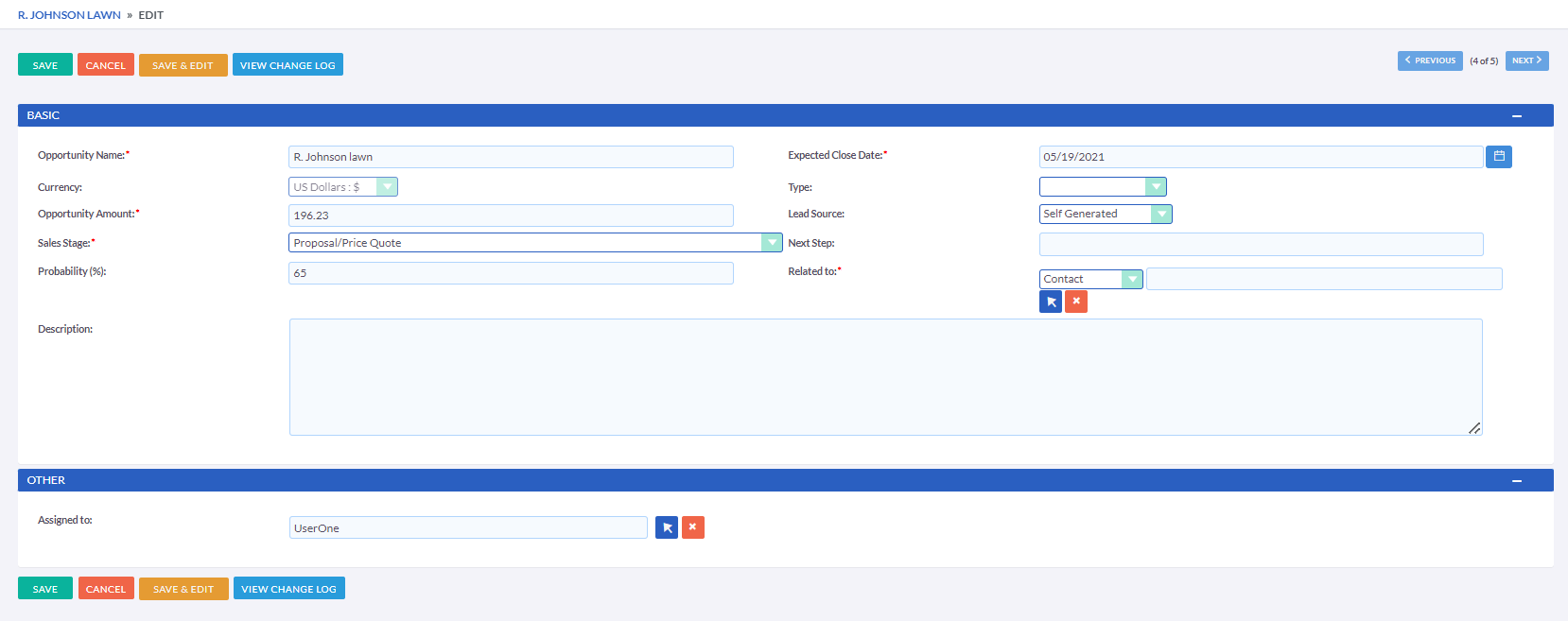
The Edit View permits you to alter the information displayed on the
record. This allows users to update existing data and add or remove
information. After making changes on the Edit View, you can click
'Save' to apply the changes, or click 'Cancel.' Either option will
redirect you to the Detail View of the record you are editing.
Clicking the 'View Change Log' button enables users to examine changes
made to audited fields. This can be useful before making any intended
changes.